FAS7900 – A streamlined forensic acquisition system for fast, non-invasive data extraction and analysis, without the need for computer disassembly. Supporting multiple OS, it captures memory and disk images, and includes secure data wiping.
Forensic Expansion Dock – A compact solution for fast, reliable data acquisition from various storage media. With support for multiple interfaces, it ensures secure, stable, and high-speed forensic data transfer for streamlined workflows.
In today’s fast-paced digital environment, missing critical messages may be more than simply an annoyance it can impede personal and professional connections. With the increased dependence on cellphones for everything from business to everyday chats, the inadvertent loss of communications is a regular concern.
Whether it’s a heartfelt text, an important business agreement, or vital evidence for legal proceedings,recovering deleted messages is crucial. With advancements in technology, multiple methods and tools are now available to help users retrieve lost data effectively. Understanding these options can save time, stress, and even money. This article explores the top methods and tools for recovering recently deleted messages in 2025. From cloud backups to cutting-edge forensic tools, we provide a comprehensive guide to ensure no message is lost forever.
Recovering recently deleted messages doesn’t have to be a daunting task. With the right tools and techniques, you can retrieve your lost data efficiently. This section explores various methods to recover messages, from basic cloud backups to advanced forensic tools.
1. Cloud Backup Recovery
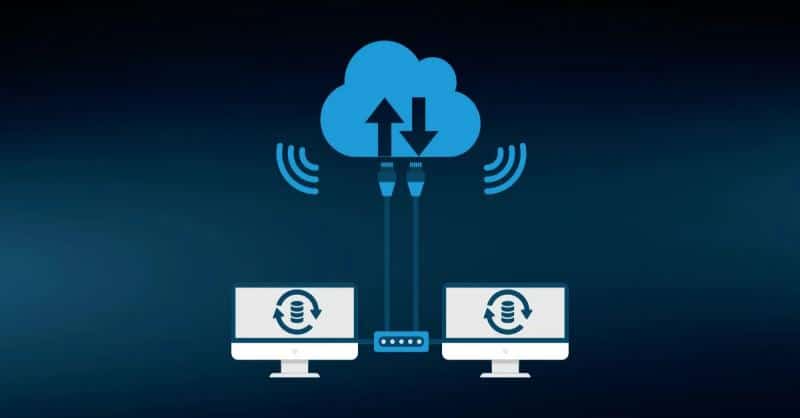
Cloud services like Google Drive (for Android) and iCloud (for iOS) have made recovering recently deleted text messages more accessible than ever. These platforms regularly back up your phone’s data, including messages, ensuring that you have a copy stored securely.
✓ Google Drive (Android):
Step1 Open Google Drive and check your recent backups.
Step2 Reset your device and log in with your Google account.
Step3 Restore the backup containing your deleted messages.
✓iCloud (iOS):
Step1 Log in to iCloud and navigate to your backups.
Step2 Erase your iPhone and restore from the most recent iCloud backup.
✗ Limitations
Cloud recovery has its challenges. For instance, you’ll need a recent backup to restore your messages, and if new data overwrites the backup, your messages might be permanently lost.
2. Phone’s Native Message Recovery Features
✓Android Recovery Options
Many Android devices, like Samsung phones, have built-in recovery features such as the Recycle Bin or Trash folder in the Messages app. These tools allow users to recover recently deleted messages directly without needing external apps.
Step1 Open the Messages app and navigate to the Recycle Bin.
Step2 Select the messages you want to restore.
Step3 Confirm the restoration process.
✓iOS Native Recovery Options
iPhones offer built-in solutions to recover recently deleted messages iPhone users might lose. iMessage, paired with iCloud or iTunes, provides seamless message recovery options.
Step1 Open iMessage and check for deleted messages in the “Recently Deleted” folder.
Step2 Alternatively, restore messages through iCloud sync or iTunes backups.
3. Using Third-Party Recovery Apps
Third-party recovery apps provide more robust solutions for retrieving lost messages. These apps are user-friendly and support multiple devices.
EaseUS MobiSaver:This tool excels at recovering recently deleted text messages from iCloud, iTunes, and device memory. It supports both iOS and Android platforms with high recovery rates.
PhoneRescue:A reliable app for recovering messages on iPhones and Android devices. It provides deep recovery options, making it ideal for retrieving chats and media files.
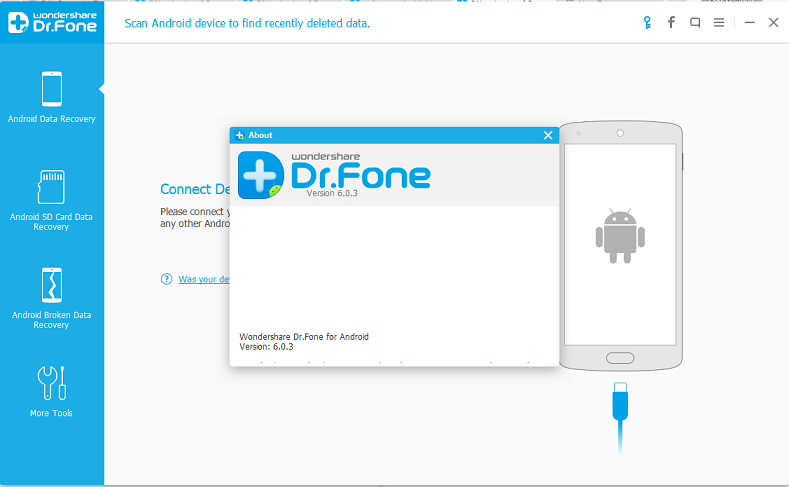
Fone – Data Recovery:Known for its versatility, Dr. Fone effectively recovers text messages, WhatsApp chats, and other data from both iOS and Android.
DiskDigger:A popular Android app that uses file-system-based recovery to retrieve deleted messages and media. It’s especially useful for Android users who need a free, quick solution.
4. Using Forensic Software for Professional Recovery
For critical scenarios, such as legal investigations or accessing data from damaged devices, forensic tools offer unparalleled recovery options.Tools like SalvationDATA Solutions and TechCommunity provide advanced recovery solutions. These digital forensic tools can recover messages even from locked or damaged phones. Designed for professional use, they offer capabilities that go beyond standard recovery apps.
When to Use Forensic Tools?
Recovering messages for legal cases.
Accessing data from physically damaged phones.
Retrieving messages that regular tools fail to recover.
Recovering recently deleted messages is achievable with the right method. Whether using cloud backups, native tools, third-party apps, or professional forensic software, there’s a solution for every situation.
Top Apps for Recovering Deleted Messages in 2025
When it comes to recovering recently deleted messages, choosing the right app can make all the difference. Here’s a list of the most effective tools in 2025, with details on their features and usability.
1. EaseUS MobiSaver
✓ Why It’s Popular?
EaseUS MobiSaver is a standout tool thanks to its user-friendly interface and exceptional recovery rates. It supports recovery from device memory, iCloud, and iTunes, making it a versatile option for both iOS and Android users.
✓Supported Devices
EaseUS MobiSaver is compatible with a wide range of devices, including:
Android phones (Samsung, Huawei, Google Pixel).
iPhones running iOS 9 and above.
2. PhoneRescue for iOS and Android
✓Key Features
PhoneRescue goes beyond standard recovery by offering deep retrieval options for messages, photos, and videos. Its ability to recover encrypted or deleted data makes it a top choice for professionals.
✓User Reviews
PhoneRescue has received rave reviews for its high success rate in recovering recently deleted text messages. Many users have praised its intuitive design and reliable performance, especially when dealing with accidental deletions.
3. Fone – Data Recovery
✓Why It’s Effective?
Dr. Fone is renowned for its broad functionality. It recovers not only text messages but also WhatsApp chats, videos, and other essential data. Its compatibility with both Android and iOS platforms makes it a go-to solution for most users.
Recovering lost messages from a damaged or malfunctioning device.
Retrieving data after a factory reset or software update.
4. DiskDigger for Android
✓How It Works?
DiskDigger specializes in file-system-based recovery for Android devices. It scans your phone’s memory for traces of deleted files, making it a reliable solution for recovering recently deleted messages iPhone users might envy for its simplicity.
✗Limitations
However, DiskDigger works best with rooted devices. Non-rooted phones may experience restricted functionality, and its focus on Android devices means it isn’t available for iOS users.
These apps are among the best for recovering recently deleted messages, each offering unique features to cater to different needs.
Tips for Maximizing the Chances of Recovery
Recovering recently deleted messages requires careful steps to ensure success. Here are the top tips to improve your chances of restoring lost data effectively.
1. Don’t Overwrite Data
The moment you realize messages have been deleted, stop using your phone immediately. Every new message, app update, or file download increases the risk of overwriting the deleted data, making recovery nearly impossible. Minimizing phone activity ensures a higher likelihood of restoring the original messages.
2. Use the Right App for Your Device
Selecting an operating system-specific app is essential; for Android users, tools such as DiskDigger or EaseUS MobiSaver are very successful, while for iOS users, PhoneRescue or Dr. Fone are useful. These apps are optimized to work seamlessly with their respective platforms, increasing the success rates of recovery.
3. Regular Backups
It’s always better to prevent than to treat. Use online services like iCloud for iOS or Google Drive for Android to set up automatic backups. Frequent backups guarantee that you will always have a current version of your messages securely preserved for simple restoration, even in the event that they are inadvertently erased.
By following these tips, you can significantly increase your chances of recovering recently deleted messages while also safeguarding future data.
Conclusion
Recovering recently deleted messages is no longer an overwhelming challenge with the array of tools and techniques available today. This guide covered essential methods, from using cloud backups like Google Drive and iCloud to built-in recovery options on Android and iOS devices. We also explored powerful third-party apps such as EaseUS MobiSaver, PhoneRescue, Dr. Fone, and DiskDigger, which simplify the recovery process for users of all expertise levels.
For more complex scenarios, digital forensic tools and specialized mobile forensic tools like those from SalvationDATA provide advanced capabilities, making it possible to retrieve data from locked or damaged phones. These tools are especially vital for professional and legal use cases.
You may confidently protect and restore your communications by following these measures, which also greatly improve recovery success and prevent future data loss: avoiding data overwrites, using device-specific programs, and keeping frequent backups.