
【Case Study】Does Logging Out Delete Your Data? A Mobile App Security Look at Local Data Residue — And What It Means for Mobile Forensics

Knowledge
2026-08-19

When you switch to a new phone, the migration checklist feels simple: copy over your photos, log into your apps, done. The old phone gets set aside — its media has been transferred, its accounts logged out. Problem solved.

Except it isn’t. Is your data really safe after logging out of an app? From an app security standpoint, the answer is no.

The Hidden Risk Behind "Sign Out": Local Data Residue and Sign Out Security

Most people treat logging out of an app as a clean break: no login, no privacy risk. But logging out only terminates the app’s active online session — it does not erase the local data residue the app has already stored on the device. That gap is what makes sign out security its own distinct concern, separate from login security.

This creates a well-known blind spot: even after an account is logged out, someone with the right mobile forensic tool can still recover data from a logged-out app — account information, browsing history, personal profile data, and cached content — directly from the residual local database, long after the session itself has ended.

So how should everyday users protect their app data security — and how can investigators turn this same local database caching blind spot into an evidentiary opportunity?

Why It Happens: SQLite Forensics and Local Database Caching

Logging out, at the technical level, simply clears the session token and login credentials tied to the server — it severs the live connection between the app and the backend, nothing more.

To speed up load times, cut network requests, and improve user experience, the vast majority of mobile apps (iOS and Android alike) rely on local database caching, typically using SQLite — a foundation of most mobile forensics and SQLite forensics work. Everyday usage data — account details, personal profiles, chat caches, browsing history, phone numbers, avatars and nicknames — is persisted directly on the device.

The industry default logic is simple: login state belongs to the server; local data belongs to the device — and logging out affects only the former. That single assumption is the root cause of the app logout privacy risk, and a gap that most mobile app security models don’t fully close.

Protecting Your App Data Security: What Everyday Users Should Do

  • On iPhone, erase — don’t just sign out.Go to Settings → [your name] → Sign Out, then choose “Erase this [Device]” rather than “Sign Out But Don’t Erase.” Signing out alone leaves your local data residue untouched.
  • On Android, clear app data, not just cache.Open the app’s settings, go to Storage or Storage & Cache, and tap Clear Data — Clear Cache alone won’t remove the account and usage data cached locally.
  • Back up before you wipe.Clearing app data or erasing a device can also cut your own access to accounts you still need, so back up anything important first.
  • Treat a full device wipe as the real finish line.Before reselling, donating, or discarding an old phone, a complete factory reset — not a per-app logout — is the only reliable way to remove the local data residue this article describes.

Turning the Same Gap Into Forensic Opportunity: Secondhand Phone Data Security

The stakes are only rising. According to IDC’s Quarterly Used Device Tracker, the global used smartphone market grew 5.8% in 2026, with growth projected to continue (easing gradually to 4.9% by 2029) as the segment matures from a niche option into what IDC now calls a strategic pillar of the industry. Mordor Intelligence puts a number on that momentum: the used and refurbished smartphone market is on pace to grow from $69.66 billion in 2026 to $96.99 billion by 2031, with unit shipments climbing from roughly 315 million to 430 million over a similar window. As more devices change hands at that scale, investigators face a growing volume of phones to process, and growing secondhand phone data security risk — including a rising chance of missing evidence sitting in the databases of apps the current user never even logged into.

Local data left behind by an app isn’t something you can just copy and preview — most of it lives in raw database file formats, with meaningful variation between device manufacturers. Reliable deleted data recovery requires purpose-built mobile forensic tooling. The following case shows what that looks like when the device in question isn’t a routine trade-in, but evidence in an active investigation.

Case in Point: Telegram Data Extraction from a Locked App with AFA9500

SalavtionData AFA9500-Next Gen Mobile Forensics

AFA9500 – SalvationDATA’s mobile forensic solution

AFA9500, SalvationDATA’s professional mobile forensic tool, is built for exactly this challenge — previewing locally stored app data and, critically, recovering deleted files to ensure comprehensive extraction.

SalvationDATA's mobile forensics solution-AFA9500 local data extraction

Extract local data of mobile app with AFA9500

Telegram Data Extraction Solution from SalvationDATA's AFA9500

Telegram Data Extraction Solution from SalvationDATA’s AFA9500

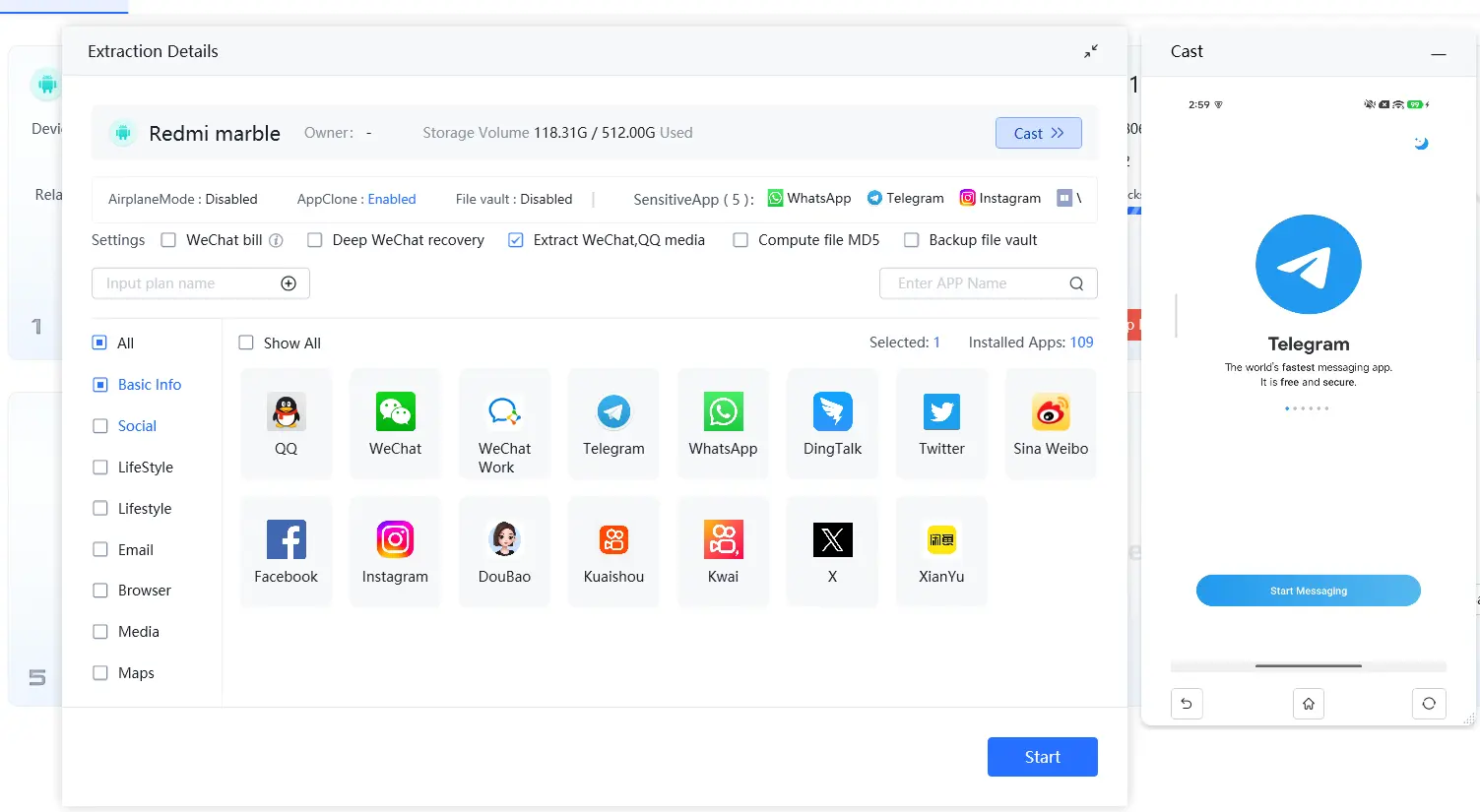
In one scenario, an investigator using AFA9500 found that the seized device’s mirrored screen could no longer log into Telegram — the account was inaccessible through the app itself. This is a common occurrence in unresolved cases, where remaining associates use a linked phone number or email to lock the arrested suspect out of the account before it can be reviewed — a real-world test of how investigators extract data from locked, logged-out apps.

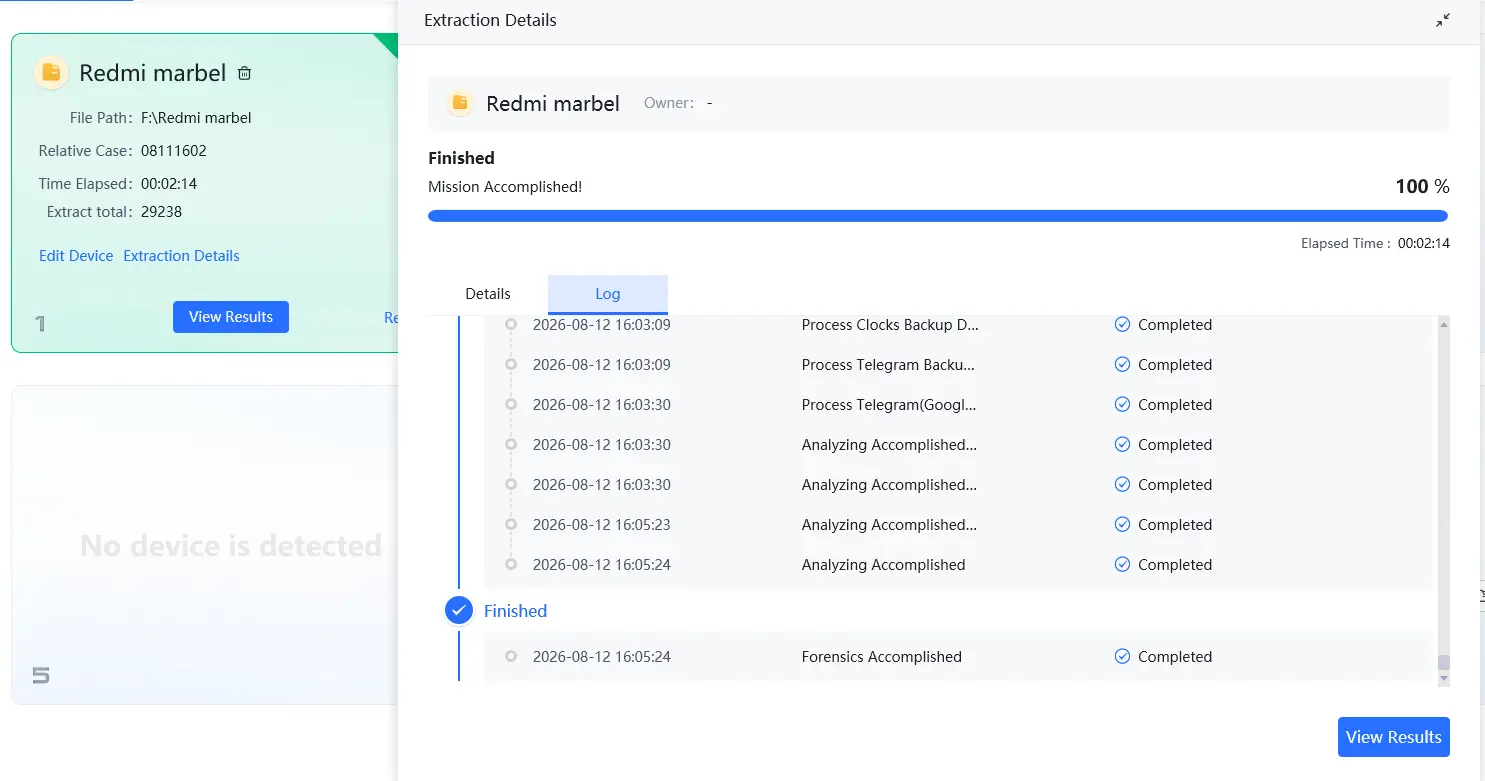
Rather than treating this as a dead end, the investigator used AFA9500 to extract residual data directly from the device and cross-reference it against the phone’s backup files related to Telegram.

The result: meaningful data was still recoverable through Telegram data extraction from local residual files — evidence that would have been missed entirely without dedicated deleted file recovery capability.

The Takeaway

Does logging out delete app data? Not entirely. Sign out clears the session; it doesn’t touch the local database sitting on the device — and that gap is exactly what matters differently to two different audiences.

For everyday users, that gap is an app data security risk: real protection means a proper erase or full wipe, not just signing out, especially before a device changes hands.

For investigators, that same gap is an evidentiary opportunity — and, as the Telegram case shows, one that’s easy to lose without the right tooling. When a suspect’s account is locked, logged out, or otherwise inaccessible, the case isn’t necessarily closed; the data may still be recoverable from what the app left behind on the device. That’s the exact problem AFA9500 is built to solve: previewing local app data, recovering deleted files, and turning residual local databases into usable evidence — even when the app itself says there’s nothing to see.

If your team is running into locked, logged-out, or seemingly empty apps during mobile evidence review, AFA9500 is worth a closer look.